
The language learning app built around your lessons
Learn at your pace.
From practice to fluency.
Bring your lessons, your vocabulary, your topics. Soltar gives you the tools to learn languages your way.

 Class

 Stop
 Pause
Your notes, ready when you are
Your lessons, organised and ready to use. Record, upload and build your practice around the material that matters to you.
 Translate
 Save
A tutor that follows your lead
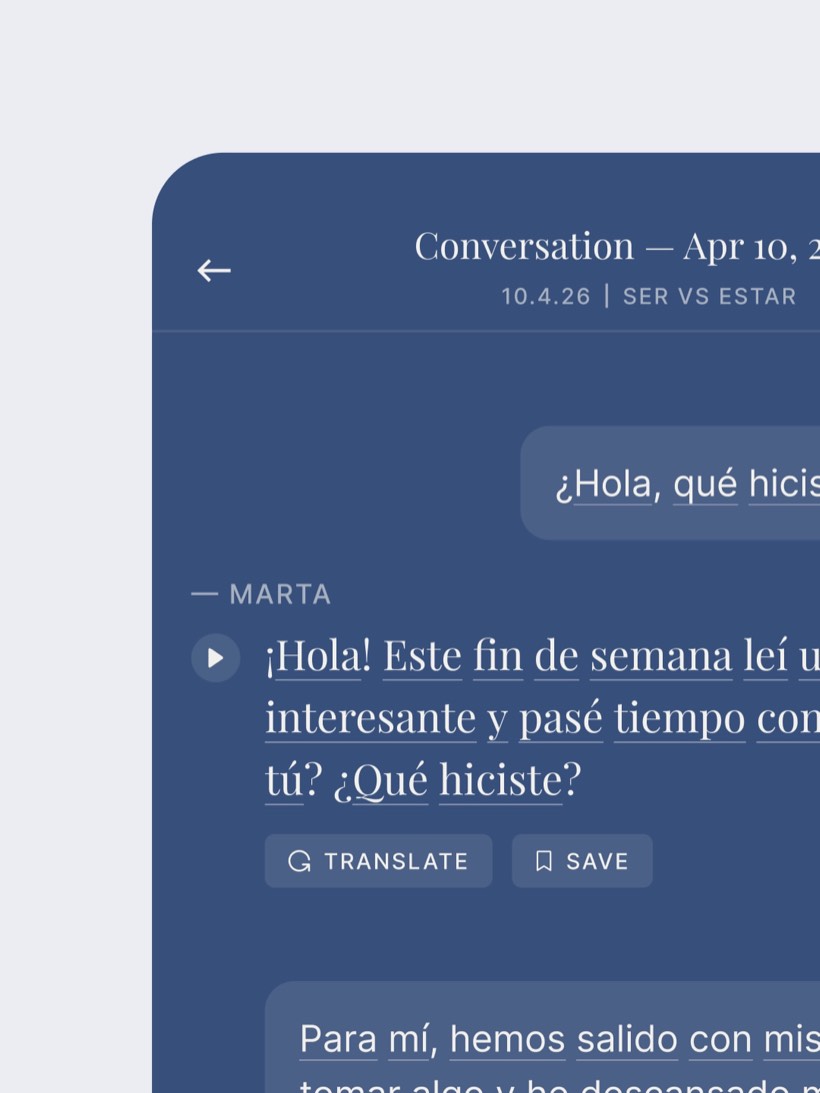
Practice real conversations on any topic, from your lessons to everyday life. Type or speak, and get corrections as you go.

Words you’ll actually remember
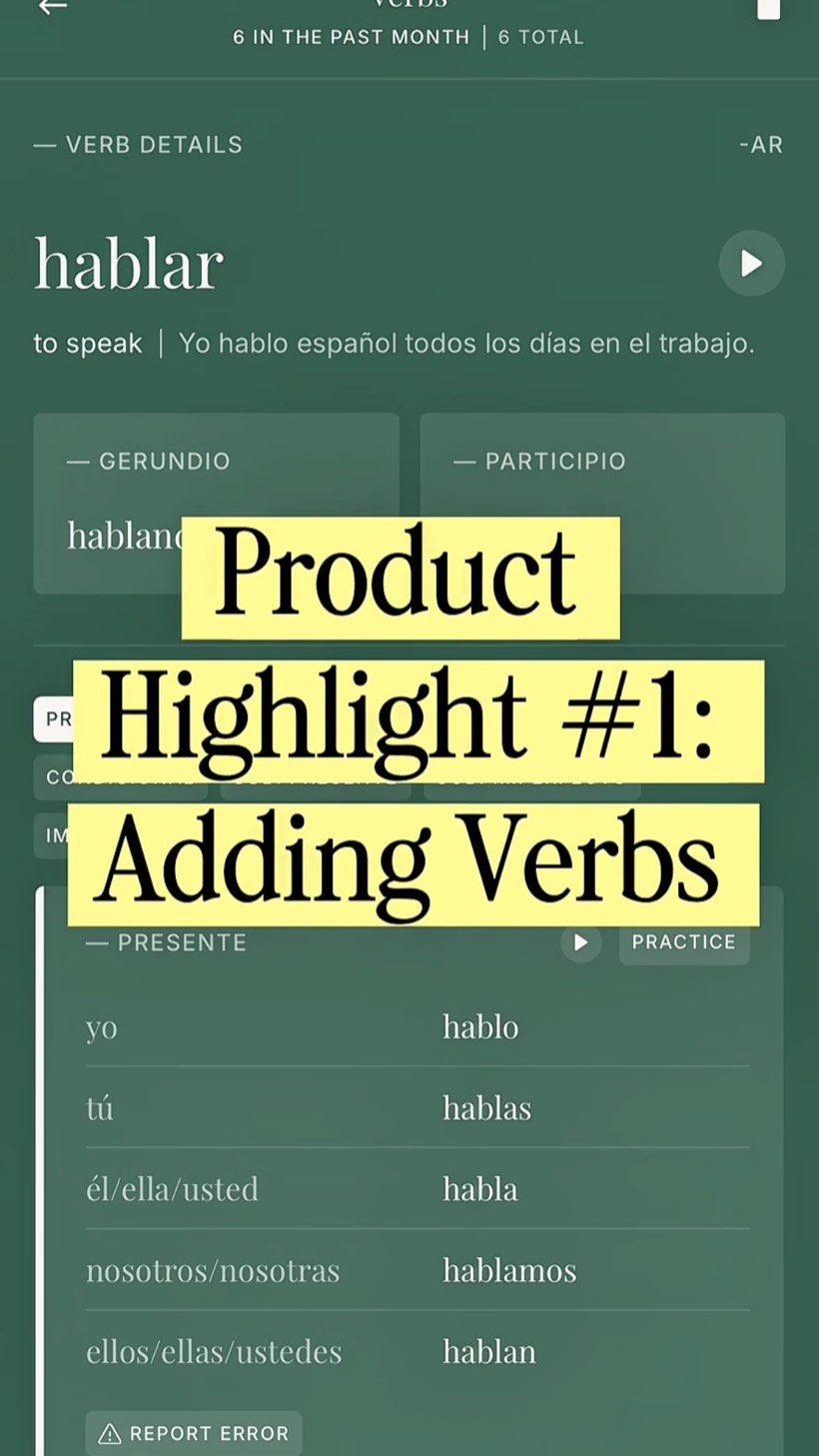
Save words and verbs as you learn them and review with spaced repetition. Your vocabulary list grows with you.


Learn from every mistake, with feedback that sticks
As you chat, mistakes get flagged and explained. Save corrections for later and track the patterns holding you back.



Join a community of language learners
From the blog

Latest post
How to learn a language through food, news and stories
Learning a language doesn’t have to mean sitting down with a textbook. One of the easiest ways to make practice more enjoyable is to connect it to something you already love — a recipe, the news, a short story.
Read the post

Coming next
- Speaking alone
- Lesson recordings
- Vocabulary
- Pronunciation
- Reading above your level
- Listening
FAQs
The questions we get asked most. If yours is not here, send us a note and we will answer it.
Using Soltar
You can learn Spanish (Mexico or Spain), French, Italian, Portuguese (Brazil or Portugal), Swahili and English (US or UK). You can also use the app itself in English, Spanish, French, Italian, Portuguese or Swahili, so explanations and translations come in the language you speak.
Yes. Add a language or switch between them in Settings, all within one account. Each language keeps its own lessons, vocabulary, verbs, conversations and tutor, so nothing gets mixed together.
Go to the Lessons tab and tap Add a new lesson. You can type your own notes, photograph handwritten pages, upload a PDF, Word, TXT or RTF file, record a live class, or generate a lesson on any topic. You can also start from a suggested lesson for your level. Lessons keep being made in the background while you use the rest of the app.
Yes. Record your class or tutor session and Soltar turns it into a lesson: the key points, the new vocabulary, a short reading and a Check yourself quiz, with the transcript behind it. Free accounts can record one lesson of up to 30 minutes; with Soltar Pro each recording can be up to 90 minutes.
Yes. Photograph your handwritten pages or upload a PDF, Word, TXT or RTF file, and Soltar turns it into a saved lesson with its vocabulary, a reading and a Check yourself quiz.
Save words and phrases yourself or straight from a conversation, a lesson or another app. When you add a word, Soltar checks the spelling, fills in the translation, and moves a word typed in the wrong language to the right field. You can sort words by type, such as noun, verb or phrase.
Spaced repetition shows you words just before you’re likely to forget them. After each flashcard you rate it Again, Hard, Good or Easy. Trickier words come back more often and easier ones less often. Study mode grades each word the same way, from how it went in the scene.
Open the Vocab tab and start a review. Choose Flashcards to flip, remember and rate each word, or Study mode to learn your words in context: short scenes written from your own words, which you read, match, fill in and write out. You can review the words that are due or all of them, and save and exit partway through.
Your Home screen shows your practice days this week, the cards due for review and how much of your vocabulary you’ve mastered. In Settings, each language shows how many words, chats and lessons you have.
All of your conversations are in the Chats tab. Unfinished chats can be resumed, and completed ones open with a summary, feedback and the full transcript.
Soltar is free to use, with daily and total limits. Soltar Pro lifts them and costs US$9.99 a month or US$59.99 a year in the US. The App Store shows the price in your own currency before you subscribe.
Every feature, with limits: 2 conversations a day, unlimited typed lessons, 3 photo and document lessons, 3 generated lessons, 1 lesson recording of up to 30 minutes, unlimited vocabulary and verbs, and 3 Study mode scenes a day. Soltar Pro gives unlimited conversations, uploads and recordings (up to 90 minutes each), up to 10 generated lessons a day and unlimited Study mode scenes.
Yes. Soltar Pro starts with a 7-day free trial. You won’t be charged if you cancel at least 24 hours before the trial ends, and if notifications are on, Soltar reminds you before it ends.
Subscriptions are managed by Apple. On your iPhone, open Settings, tap your name, then Subscriptions, choose Soltar and tap Cancel Subscription. You keep Soltar Pro until the end of the period you’ve paid for. Deleting the app or your Soltar account doesn’t cancel it.
Yes. Cancelling your subscription doesn’t delete anything, so everything is there when you subscribe again. Only deleting your account removes your information.